
B2B Technology Solutions Partner

Service / Modernise & Connect

Cloud Migration & Integration

Consider cloud migration and integration as part of a broader system landscape.

  • Planned in waves
  • Continuity first
  • Connected after the move
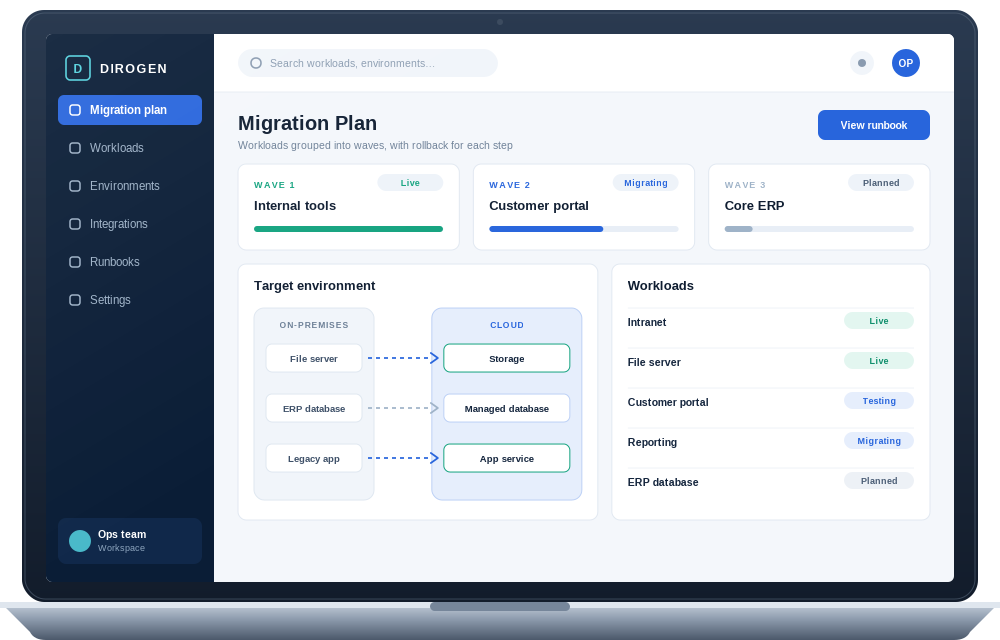
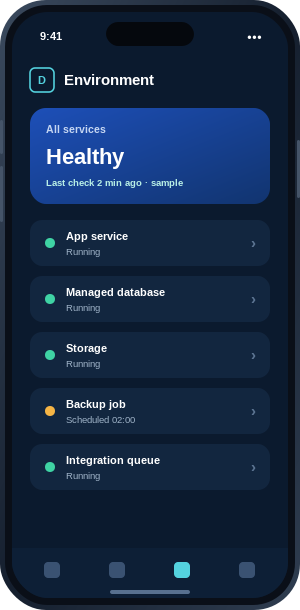
Illustrative migration plan on a laptop, showing workloads grouped into waves and a target cloud environment Illustrative mobile environment status screen listing services and a scheduled backup
Sample concept · illustrative data, not a client project

A considered move

Cloud plans built around continuity.

  • Know what you have

    Start with an inventory of applications, data and dependencies before anything moves.

  • Protect daily operations

    Plan migration windows, testing and rollback so the business keeps running.

  • Keep systems connected

    Make sure moved workloads still exchange information with the systems around them.

Service summary

At a glance

Business need
An existing environment or set of systems may need a considered migration or connection plan.
Capability area
Cloud migration · Integration
Illustrative possibilities
A potential migration or integration approach shaped by current systems and requirements.
Related systems
Cloud services · Applications · Data flows

Illustrative system flow

  1. 01Workload
  2. 02Cloud
  3. 03Environment
  4. 04Scale

What we can help with

Cloud migration and integration capabilities

The approach is shaped by your current environment, your operational requirements and where you want to get to.

  • Environment assessment

    Review current systems, hosting, dependencies and constraints.

  • Migration planning

    Group workloads into waves with an order, timing and rollback for each.

  • Application and workload moves

    Move, re-platform or rebuild applications depending on what each one needs.

  • Data migration

    Plan how data is copied, checked and switched over with minimal disruption.

  • Hybrid integration

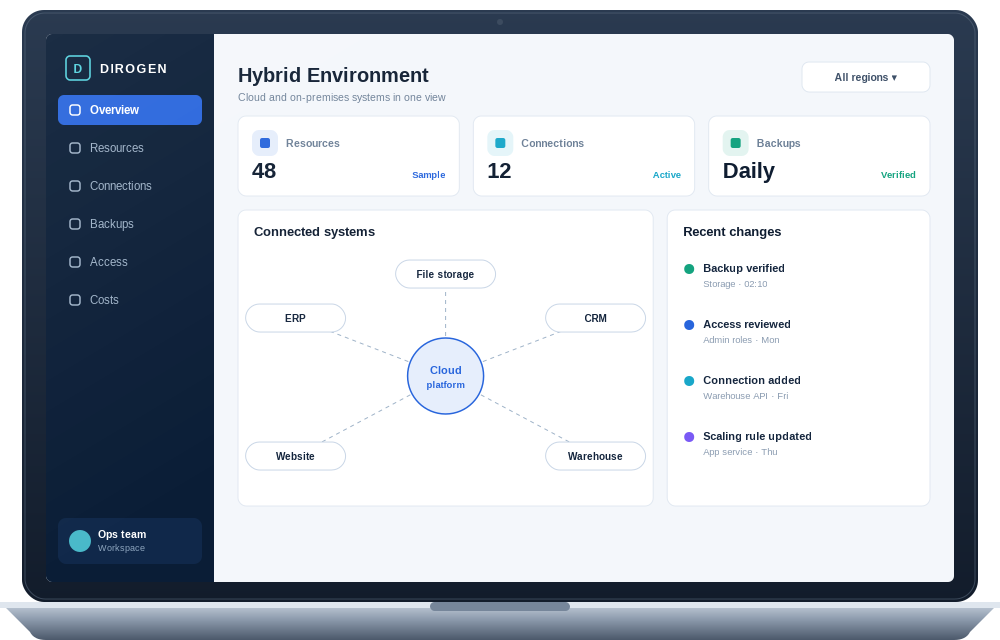
    Connect cloud services with systems that stay on-premises.

  • Operations after the move

    Monitoring, backups, access and scaling considered from the start.

Walk through a migration

What happens at each stage

Step through a typical migration path. The activities and timing always depend on the systems involved and the risks you need to manage.

Stage 1 of 4 · Assess

Understand the current environment

Build a clear picture of what runs today, how it is connected and what the business depends on.

Decision point: Which workloads are worth moving, and which should stay where they are for now.

Typical activities

  • List applications, data stores and integrations
  • Note dependencies and peak usage times
  • Record security, compliance and support requirements

What it produces

  • System inventory
  • Dependency map

Stage 2 of 4 · Plan

Agree the approach and the order

Decide how each workload moves and group them into waves, starting with lower-risk systems.

Decision point: The order of the waves and the acceptable downtime for each one.

Typical activities

  • Choose to move, re-platform or rebuild each workload
  • Design the target environment and connections
  • Define testing, cutover windows and rollback steps

What it produces

  • Migration waves
  • Target design
  • Runbooks

Stage 3 of 4 · Migrate

Move in controlled waves

Move each wave, test it with the people who use it and switch over only when checks pass.

Decision point: Whether each wave is ready to go live, based on agreed checks.

Typical activities

  • Copy and verify data
  • Test integrations and user access
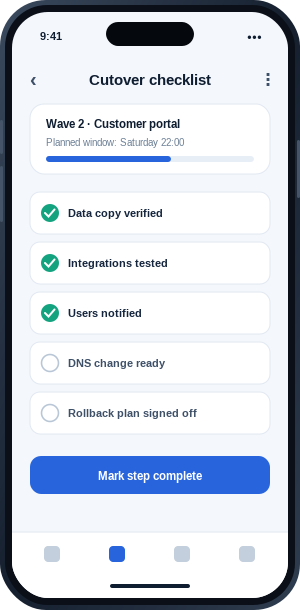
  • Cut over, with the rollback plan ready

What it produces

  • Checked cutover
  • Updated documentation

Stage 4 of 4 · Optimise

Run and improve

Once systems are running in the new environment, tune them for reliability, cost and growth.

Decision point: What to improve next, and when to plan the following wave.

Typical activities

  • Review monitoring and backups
  • Adjust sizing and scaling rules
  • Retire systems that are no longer needed

What it produces

  • Operating guide
  • Improvement backlog

About this service

In more detail

Modernize technology environments by moving systems to the cloud and connecting them with the platforms and services they depend on.

DIROGEN helps businesses approach cloud migration and integration around their existing technology environment, operational requirements and desired business outcomes. The focus is on planning and connecting systems in a way that supports continuity, scalability and practical day-to-day operations.

From moving applications and workloads to connecting cloud services with existing business systems, we shape the approach around the specific technology landscape and integration requirements.

The work can include cloud migration planning, system connectivity and integration considerations depending on the scope and needs of the project.

Our approach

From current state to connected cloud

Migration and integration are planned together, so systems keep working with each other after they move.

  1. 01

    Assess

    Review systems, data, dependencies and operating requirements.

  2. 02

    Plan

    Agree the target environment, the migration waves and the integration approach.

  3. 03

    Migrate and connect

    Move workloads in stages and connect them with the systems around them.

  4. 04

    Operate and improve

    Monitor, tune and plan further changes as the environment settles.

Industries

Relevant industries

See how this service applies in the industry closest to yours.

Next steps

Let’s plan your next move to the cloud.

Tell us about the systems you run today. We’ll help you work out a practical, low-risk path.